Period tiles In the pilot
Today, yesterday, the last 7 days, the last 30 days and a forecast for the month. Each one is compared with the period before, and you can switch between days, weeks and months.
 AMZSELLER WORKSPACE
Everything on this page is already built. Most of it runs today on DigitEMB's own Amazon store. In the pilot you explore the same screens with sample figures, so you can judge the workspace before you connect anything.
Sales, refunds, Amazon fees and ad spend in one picture, down to net profit for every product.
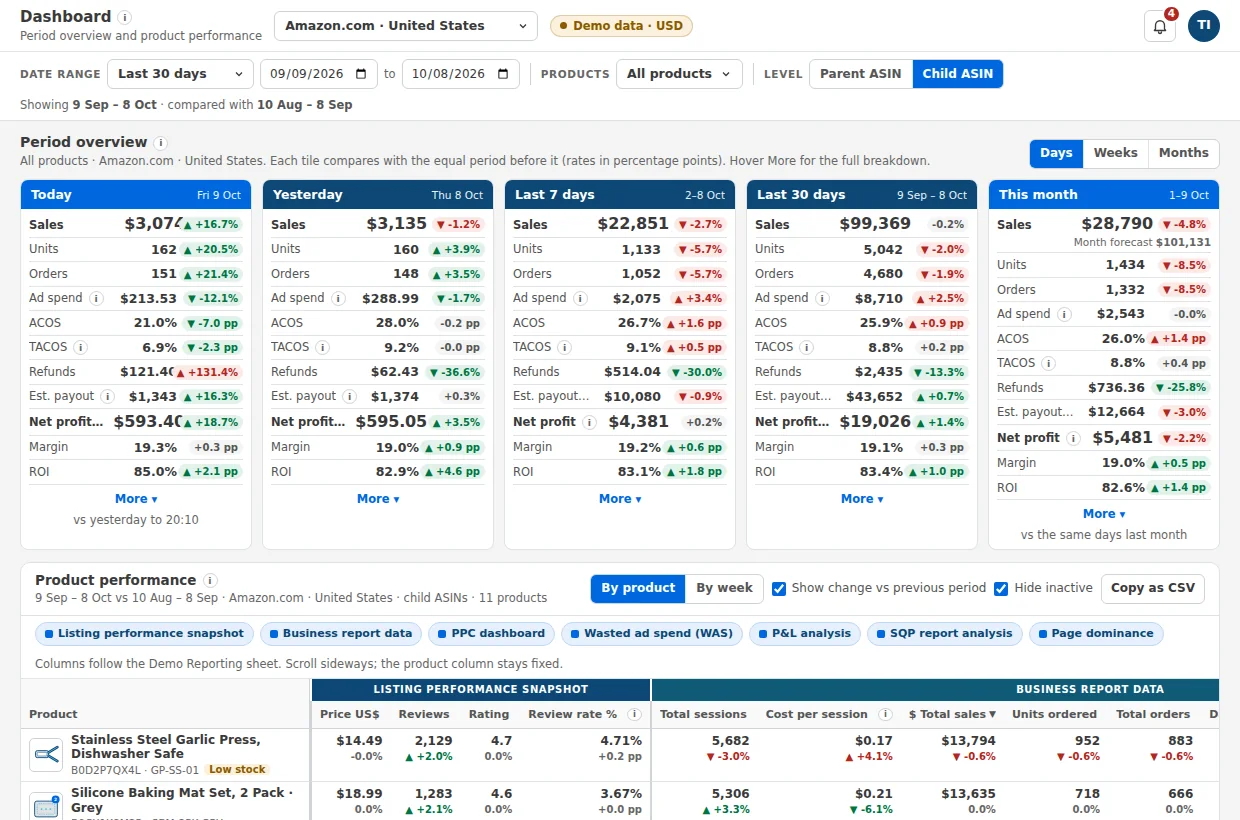
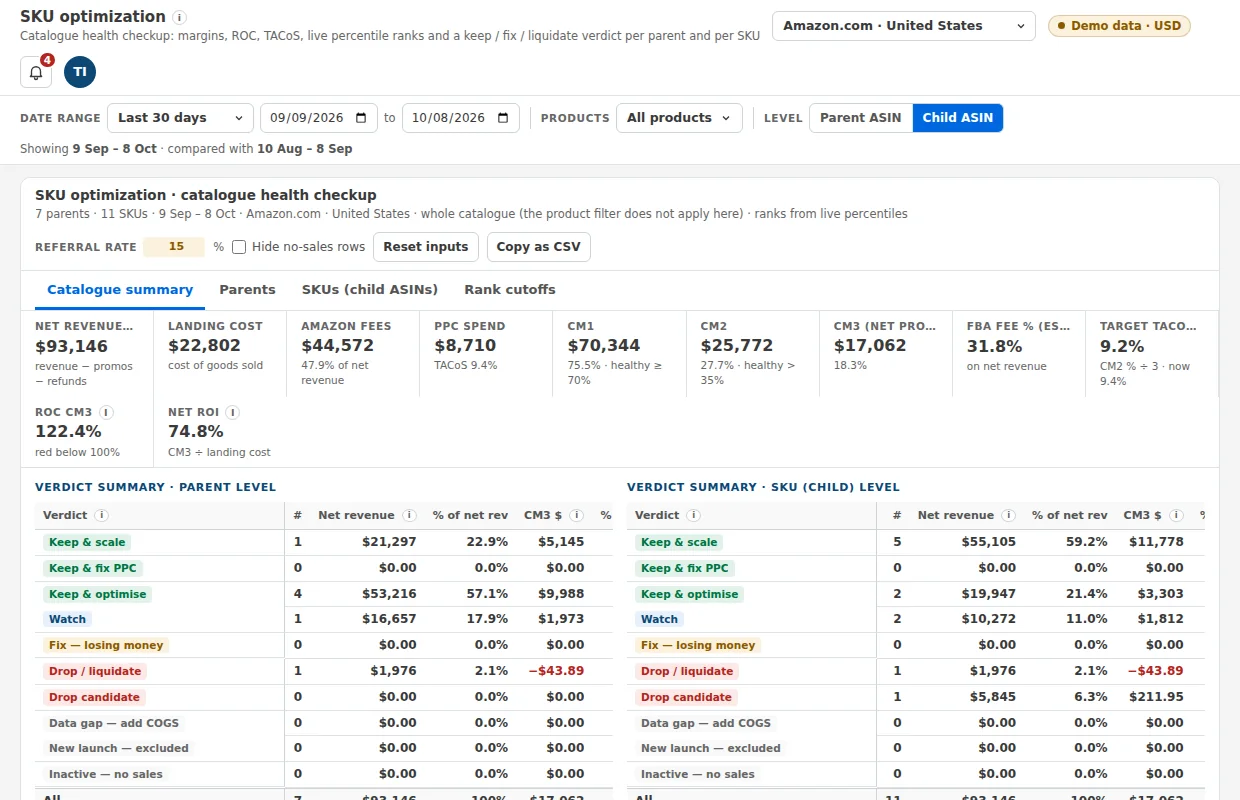
Today, yesterday, the last 7 days, the last 30 days and a forecast for the month. Each one is compared with the period before, and you can switch between days, weeks and months.
Sales, refunds, Amazon fees, landed cost and ad spend, down to contribution margin and net profit. A breakdown opens when you hover a tile.
Parent and child level, sortable columns, column groups you can hide, copy as CSV, and a plain note on how each column is calculated.
A verdict for every product, from keep and scale to fix or liquidate, based on margin, return on cost and advertising cost.
Landed cost per product that applies from the date you choose, running expenses spread over the days, and a month-by-month profit and loss with CSV export. Profit uses the costs you enter; we never invent one.
Plain-language warnings about stock, money, returns, fees, sales, prices and advertising, worked out when you open the page.
See Sponsored Products, Sponsored Brands and Sponsored Display side by side, and find the spend that never sells.
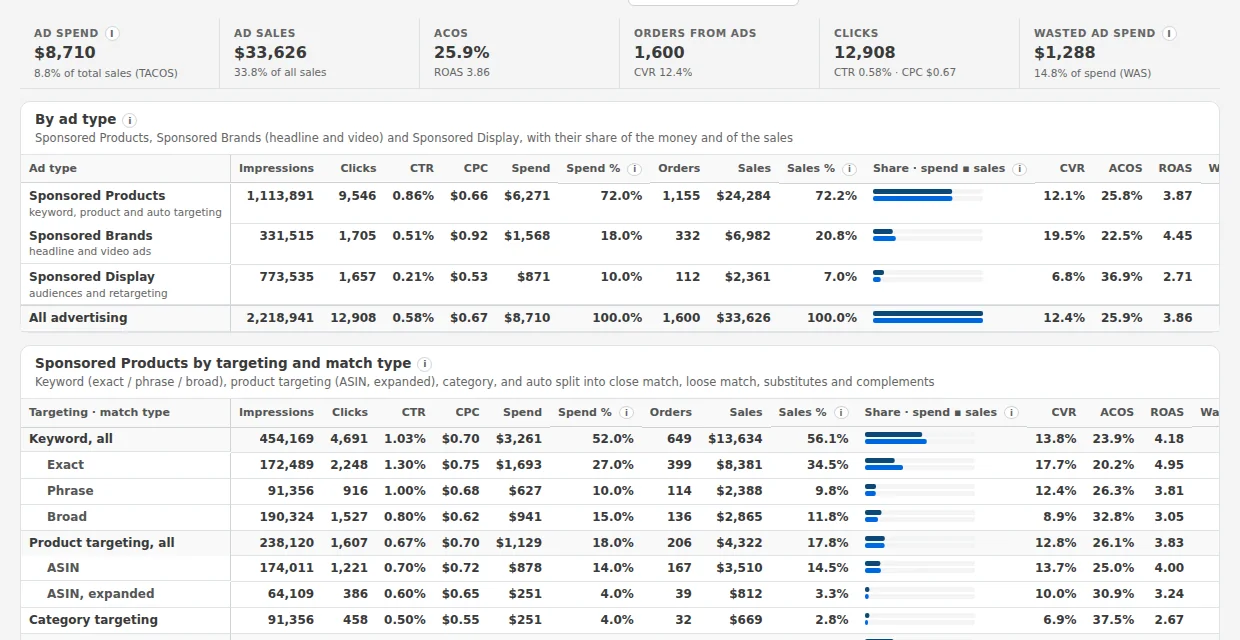
Spend, sales, ACOS, ROAS and conversion rate, with each row's share of your spend and your ad sales, for any date range.
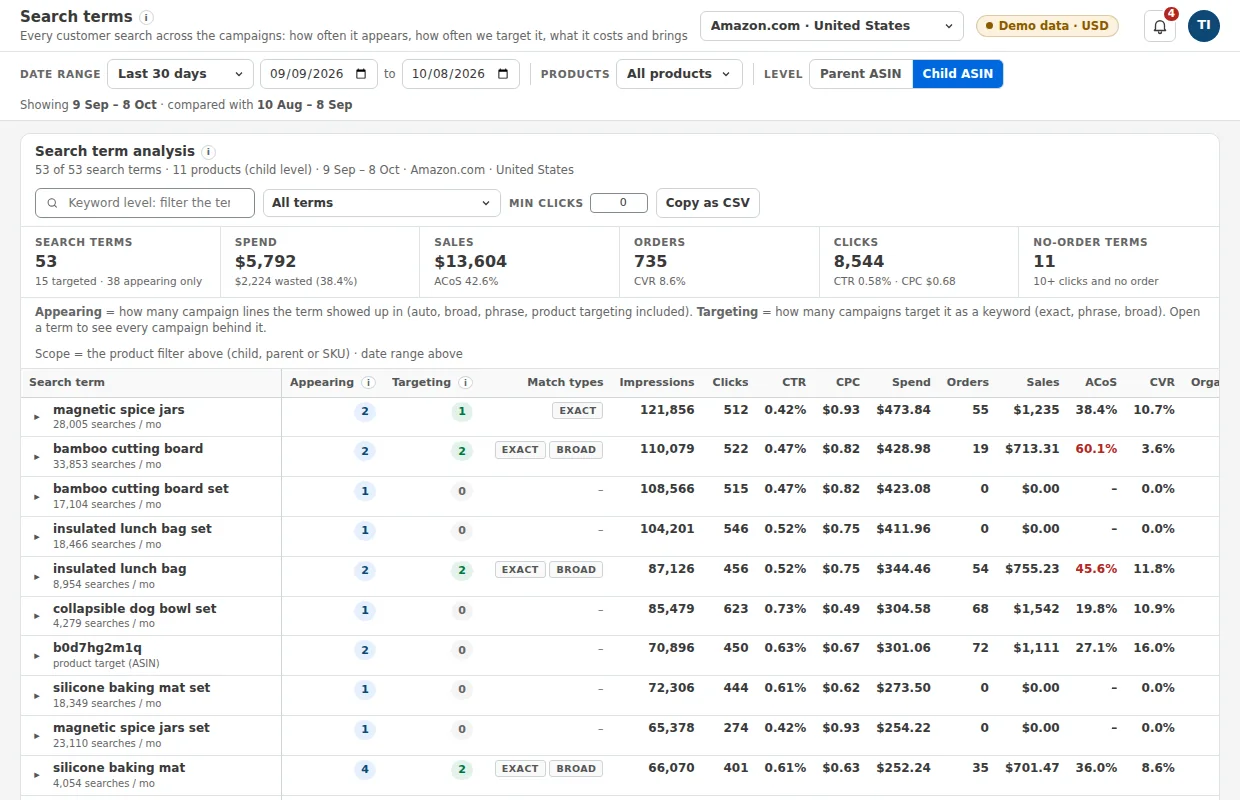
The search terms and targets that took clicks and never sold, shown as an amount and as a share of your spend.
A campaign table with trends, every search term with the campaigns behind it, and your portfolios.
Dated copies of your campaign settings, so you can see what changed and when.
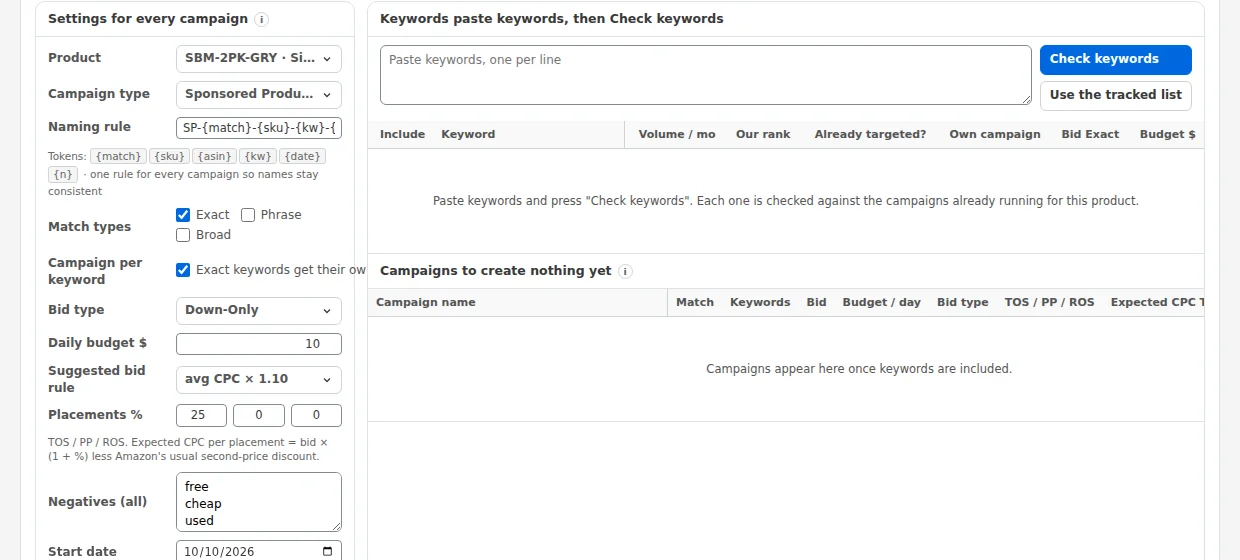
Prepare many Sponsored Products campaigns from one keyword list, with one naming rule, duplicate checks, bids and budgets. You review the bulk file and upload it yourself. In the pilot nothing is sent to Amazon.
Set your ACOS limits, stop rules and bid ceilings once. The screens turn them into a short list of actions for you to decide on.
Know what to reorder, when to send it, and which listings are quietly losing sales.
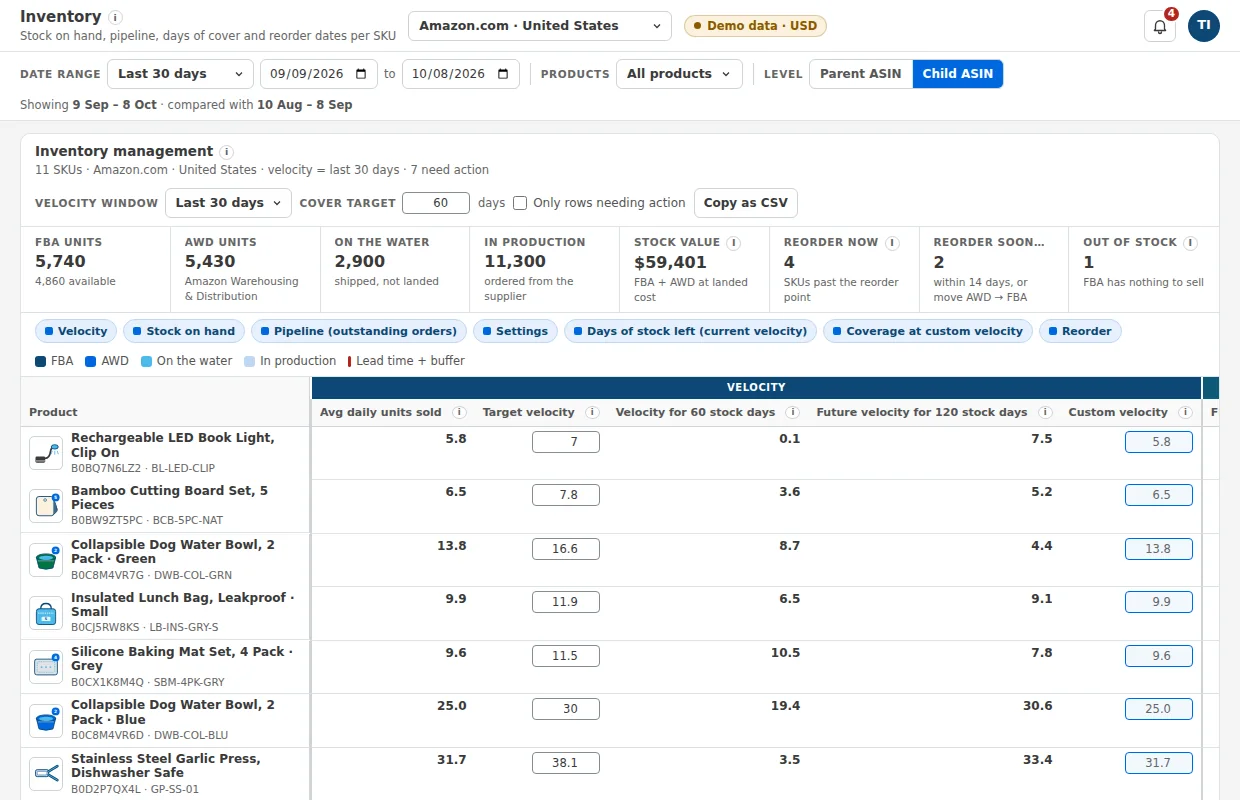
Units available, reserved, inbound and in production, with the days of stock left at your current sales pace and a cover target you set.
Which products to reorder now, which soon and which are out of stock, with reorder dates that include your lead time.
Products that are not buyable although they have stock, prices below your floor, missing images and unusual fee estimates, with the money at stake each month.
One list of open issues you can mark done, and a calendar of Amazon promotion dates with your preparation tasks.
Use Amazon's own search data to see how visible and how convincing each of your products is for the phrases that matter.
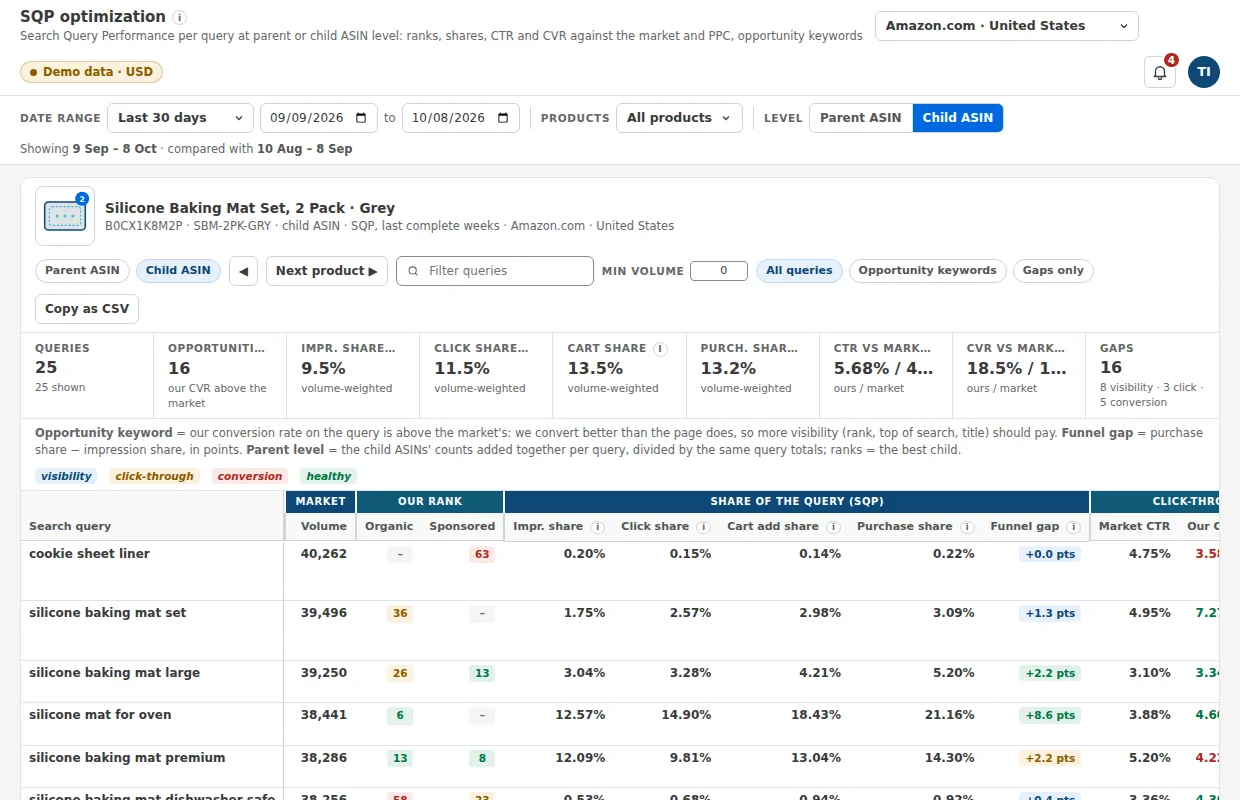
Impression, click, cart and purchase share for each search query and product, compared with the market and with your ad spend on the same phrase. Needs Brand Registry.
Follow the phrases that matter and see Amazon's weekly shares for them. Add ranks from your own rank export: Amazon publishes no rank, so we never invent one.
Take an idea from first note to a 30-day live test, and know the margin before you order.
A board that moves each idea from research through design, samples, listing and stock to a live test, with the stages and rules you set.
Margin and return before ads, using Amazon's current fee tables for size tier, referral fee and storage. You type your cost per piece; we never invent one.
Each screen reads only what it needs, read-only, into your own workspace. In the pilot nothing is connected: the screens use sample figures.
| What we read | What it is used for |
|---|---|
| Orders and sales reports | Sales, units, orders and sales pace on the profit and stock screens |
| Financial events: fees, refunds, reimbursements | Amazon fees, refunds and net profit |
| FBA inventory and inbound shipments | Stock, days of cover and reorder dates |
| Catalog, pricing and fee estimates | Product details, prices and the product profit calculator |
| Brand Analytics: Search Query Performance | Search insight and the keyword screens |
| Advertising reports for Sponsored Products, Brands and Display | Spend, sales, ACOS, wasted spend, campaigns and search terms |
We do not ask for buyer names, addresses or e-mail addresses. Your data stays in your own workspace and is deleted when you ask. Nothing is sent to Amazon without your explicit approval.
The pilot is free and invite-only. Tell us which of these features would change your week.